
This article explains how to assign a certificate manager. A certificate manager can edit certificates in the system and attach a certificate to any test.
To assign a certificate manager, follow the steps below:
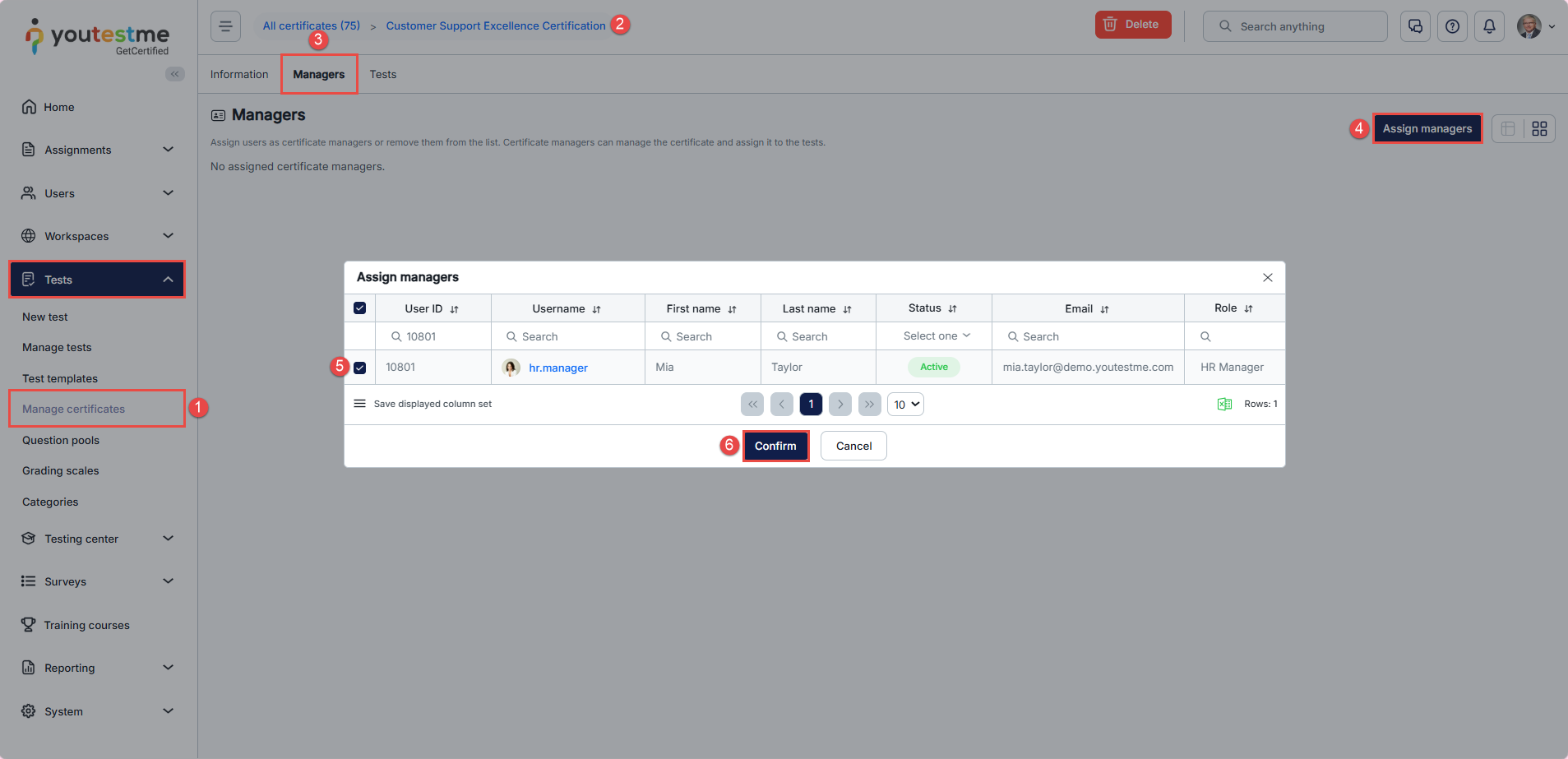
- Navigate to the “Tests” tab in the main menu, then select “Manage certificates”.
- Choose a certificate from the list.
- Navigate to the “Managers” tab.
- Click the “Assign managers” button.
- In the pop-up window, select the desired user(s) by ticking the checkbox next to their username.
- Click the “Confirm” button to assign the selected user(s) as certificate managers.
Note: You can select multiple users from the list and assign them as certificate managers.
For a video tutorial on how to create a certificate and assign a manager, you may watch this video.
For more related instructional materials, please visit: